| 20.1. WPOTS subsystem activation | ||
|---|---|---|
 | Chapter 20. WPOTS |  |
| 20.1. WPOTS subsystem activation | ||
|---|---|---|
| | Chapter 20. WPOTS | |
The WPOTS subsystem is a part of CTISYS that provides integration of PC audio-in/audio-out devices with the Abilis voice system, enabling voice communication through the PCphone Web application.
![[Caution]](../images/caution.png) | Caution |
|---|---|
PCphone requires a separated licence in CPX and needs also SoftPBX licence as it's required by OPC. |
There are several necessary configuration steps to have WPOTS subsystem working.
The WPOTS device must be added to the configuration:
[12:22:25] ABILIS_CPX:a dev:wpots-1

COMMAND EXECUTED
It will then appear in the device listing:
[12:22:25] ABILIS_CPX:d dev

- Not Saved (SAVE CONF) -------------------------------------------------------

--------------- Active Watchdog and MFxx Resources (read only): ---------------
Dev         Run Physical Res                                 SlotId  Addr  Irq
-------------------------------------------------------------------------------
MF          Yes Mf . . . . . . . . . . . . . . . . . . . . .      -  E010   22

------------------ Active PCI Devices and Physical Resources: -----------------
Dev         Run Physical Res or CTI Port                     SlotId  Addr  Irq
-------------------------------------------------------------------------------
ASY-1       Yes Async-1  . . . . . . . . . . . . . . . . . .      -   3F8    4
ETH-1       Yes Eth-1  . . . . . . . . . . . . . . . . . . .    128  PCIe ( 22)
ETH-2       Yes Eth-2  . . . . . . . . . . . . . . . . . . .    160  PCIe ( 23)
ETH-3       Yes Eth-3  . . . . . . . . . . . . . . . . . . .     32  PCIe ( 22)
ETH-4       Yes Eth-4  . . . . . . . . . . . . . . . . . . .     64  PCIe ( 23)
WPOTS-1     No  101..116 . . . . . . . . . . . . . . . . . .      -     - (  -)
CELL32-1    Yes 501..532 . . . . . . . . . . . . . . . . . .      -     - (  -)

------------------ Active USB Devices and Physical Resources: -----------------
Dev         Run Con Physical Res or CTI Port               USBPORTID
-------------------------------------------------------------------------------
CELLKEY-1   Yes No  501  . . . . . . . . . . . . . . . . . NONE

--------------- Active EthMod/EthLte Resources and Devices: -------------------
Res         LowRes      Descr                           ModSt MAC
-------------------------------------------------------------------------------
EthMod-1    Eth-3       EthMod-1                        dn
EthLte-1    Eth-4       EthLte-1                        dn
![[Warning]](../images/warning.png) | Warning |
|---|---|
It’s necessary to save the configuration(use the save conf command) and restart the system (use the warm start command). |
The UBR (User Based Routing) feature allows you to use a unique global number for any interface, simplifying the creation of routings, defining the numbering plan, and configuring unified user preferences.
Add a user:
[12:51:58] ABILIS_CPX:a user:pcphone pwd:wphone11p

COMMAND EXECUTED
Configure the OPC monitored service:
[12:51:58] ABILIS_CPX:s user:pcphone opc-monitor:ctip

COMMAND EXECUTED
The appropriate HTTP permissions must be assigned to this user to allow access to the HTTP phone section:
[12:51:58] ABILIS_CPX:s user:pcphone http-gui-phone:yes

COMMAND EXECUTED
Assign the CTI port 101 to the user:
[12:50:58] ABILIS_CPX:s user:pcphone ctip:101

COMMAND EXECUTED
Assign a number to the created user (replace 11 with the required number):
[12:50:58] ABILIS_CPX:s user:pcphone number:11

COMMAND EXECUTED
![[Note]](../images/note.png) | Note |
|---|---|
The WPOTS behaves the same as the POTS. |
[15:25:44] ABILIS_CPX:d p ctip:101

CTIP:101 - Not Saved (SAVE CONF), Not Refreshed (INIT) ------------------------
Act     DESCR:pcphone
Run     card:WPOTS-1<1>                 USER:pcphone
        OPSTATE:UP        LOG:NO                               TYPE:USER
        signalling:WPOTS                HOLD:YES     CT:ICT    SS:YES
        NUM:(11)                        ADDRBOOK-NUM:NUM
        IP-PERMIT:SYS
![[Tip]](../images/tip.png) | Tip |
|---|---|
The “Not Saved (SAVE CONF)” message appears every time the configuration is modified but not saved with the save conf command. The “Not Refreshed (INIT)” message appears every time the port configuration is modified but not refreshed with the init ctisys command. These messages will disappear after save conf or init ctisys commands. |
The WPOTS port (CTIP:101) needs to have an assigned number to be used as a part of PBX port group (11 must be replaced by required number):
[12:50:58] ABILIS_CPX:s p ctip:101 num:11

COMMAND EXECUTED
Add a user:
[12:51:58] ABILIS_CPX:a user:pcphone pwd:wphone123

COMMAND EXECUTED
Configure the OPC monitored service:
[12:51:58] ABILIS_CPX:s user:pcphone opc-monitor:ctip

COMMAND EXECUTED
| Caution | ||
|---|---|---|---|
OPC requires a SoftPBX licence. It is necessary to activate the OPC subsystem for the soft-phone solution to work. [12:51:58] ABILIS_CPX:
|
The appropriate HTTP permissions must be assigned to this user to allow access to the HTTP phone section:
[12:51:58] ABILIS_CPX:s user:pcphone http-gui-phone:yes

COMMAND EXECUTED
Assigning the user to CTI port 101:
[12:50:58] ABILIS_CPX:s user:pcphone ctip:101

COMMAND EXECUTED
| Note |
|---|---|
The WPOTS behaves the same as the POTS. |
[15:25:44] ABILIS_CPX:d p ctip:101

CTIP:101 - Not Saved (SAVE CONF), Not Refreshed (INIT) ------------------------
Act     DESCR:pcphone
Run     card:WPOTS-1<1>                 USER:pcphone
        OPSTATE:UP        LOG:NO                               TYPE:USER
        signalling:WPOTS                HOLD:YES     CT:ICT    SS:YES
        NUM:11                          ADDRBOOK-NUM:NUM
        IP-PERMIT:SYS
| Tip |
|---|---|
The “Not Saved (SAVE CONF)” message appears every time the configuration is modified but not saved with the save conf command. The “Not Refreshed (INIT)” message appears every time the port configuration is modified but not refreshed with the init ctisys command. These messages will disappear after save conf or init ctisys commands. |
When UBR:YES is enabled, there are already 2 preconfigured CTI routings that allow calls between Abilis users.
[07:30:19] ABILIS_CPX:d ctir

Last change: 18/03/2025 07:27:08

---+------+------------------+----------+--------------------+--------------------
PR |[DESCR]
   |BCI   |POI |SR      |GI  |OUT       |CDI                 |CDO
ACT|NEXT        |LAST        |EEC |T301 |CGI                 |CGO
EDT|SP    |SC   |DJ   |MJ    |FMDJ|FMMJ |SDI                 |SDO
   |SPOUT |SCOUT|DJOUT|MJOUT |LCS |LCST |SGI                 |SGO
   |                         |BCO       |RGI                 |RGO
   |FMRLY |FAXSP|MODSP|FMLVL |ECM |UDT  |IG  |OG  |SG        |DL  |DH
   |CODERS
   |CODERSOUT
   |TI1 .. TI5
----------------------------------------------------------------------------------
0   VOICE  *    *        G0   <CTIGU-I>  'NumGroup'           *
    NO           ANY          NO   Dft   *                    *
    64000  Sys   Sys   Sys    Sys  Sys   *                    *
----------------------------------------------------------------------------------
1   VOICE  *    *        G0   <USER-I>   'NumUser'            *
    NO           ANY          NO   Dft   *                    *
    64000  Sys   Sys   Sys    Sys  Sys   *                    *
---------------------------------------------------------------------------------- | Note |
|---|---|
For more examples, see CTIR Routings. |
Add a CTI routing for incoming calls:
[12:55:58] ABILIS_CPX:a ctir pr:0 poi:pbx sr:* gi:G0 out:101 cdi:11 sp:64000 descr:Incoming_calls

COMMAND EXECUTED
Add a CTI routing for outgoing calls to route calls to a remote cluster (e.g., site2):
[12:55:58] ABILIS_CPX:a ctir pr:1 poi:101 out:site2 cdi:0?* sp:64000 descr:Outgoing_calls

COMMAND EXECUTED
To view CTIR Routings:
[16:02:05] ABILIS_CPX:d ctir

- Not Saved (SAVE CONF), Not Refreshed (INIT) ---------------------------------
Last change: 27/02/2024 18:47:26

---+------+------------------+----------+--------------------+--------------------
PR |[DESCR]
   |BCI   |POI |SR      |GI  |OUT       |CDI                 |CDO
ACT|NEXT        |LAST        |EEC |T301 |CGI                 |CGO
EDT|SP    |SC   |DJ   |MJ    |FMDJ|FMMJ |SDI                 |SDO
   |SPOUT |SCOUT|DJOUT|MJOUT |LCS |LCST |SGI                 |SGO
   |                         |BCO       |RGI                 |RGO
   |FMRLY |FAXSP|MODSP|FMLVL |ECM |UDT  |IG  |OG  |SG        |DL  |DH
   |CODERS
   |CODERSOUT
   |TI1 .. TI5
----------------------------------------------------------------------------------
0   [Incoming_calls]
    VOICE  PBX  *        G0   101        11                   *
    NO           ANY          NO   Dft   *                    *
    64000  Sys   Sys   Sys    Sys  Sys   *                    *
----------------------------------------------------------------------------------
1   [Outgoing_calls]
    VOICE  101  #        #    site2      0?*                  *
    NO           ANY          NO   Dft   *                    *
    64000  Sys   Sys   Sys    Sys  Sys   *                    *
| Warning |
|---|---|
Changes made to the CTI routing table are not immediately active. To activate them, execute the init ctir command. |
| Note |
|---|---|
For more examples, see CTIR Routings. |
To run PCphone, a supported browser (Chrome, Chromium, Opera, Edge), speaker, and microphone are required.
Go to PCphone page https://192.168.1.1 (the default IP; yours may differ).
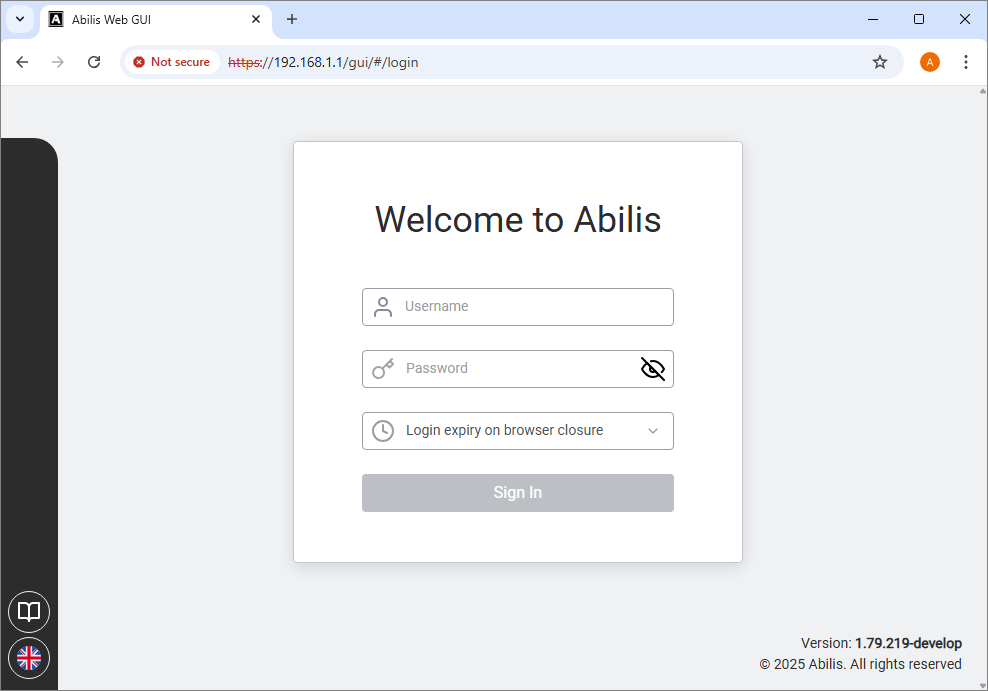
Enter the Username and Password created earlier.
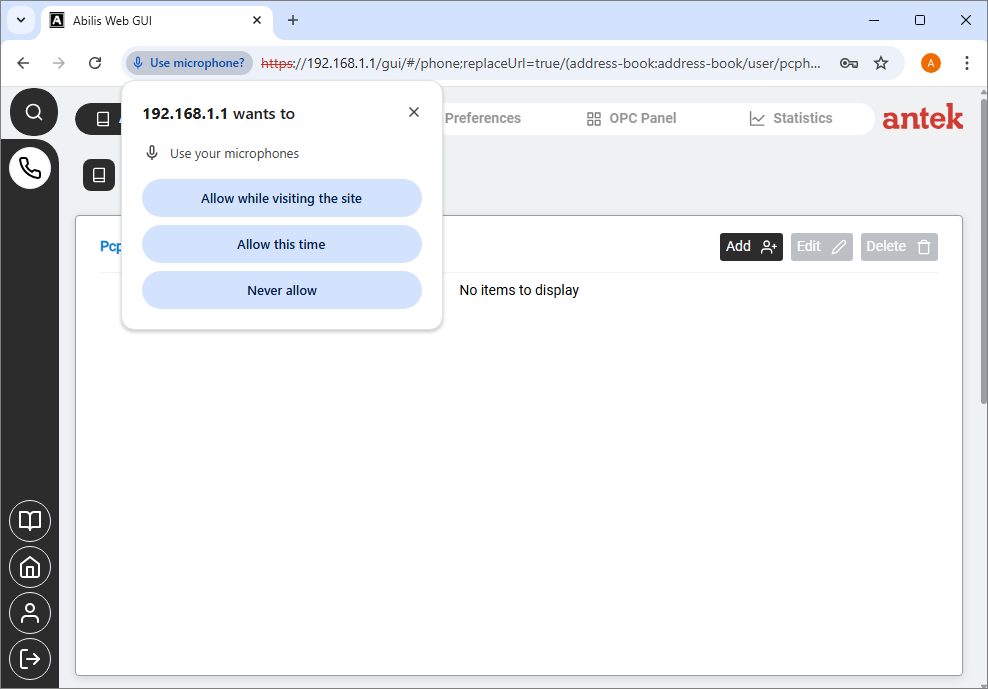
Go to the OPC Panel, and you will see the keypad.

Functions:
Status: information about the active call.;
Keyboard: to dial a number like a phone keyboard;
Icons: for various functions and preferences.
| |  | |
| Chapter 20. WPOTS |  | Chapter 21. IOBOX |