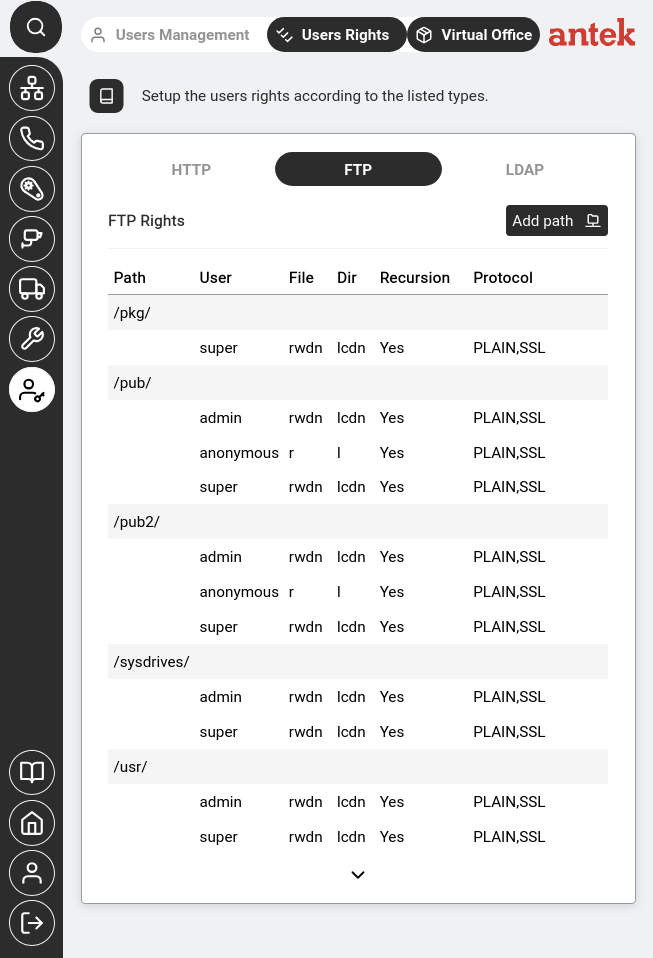
Navigate to Administration → Users Rights. This page controls fine-grained access to specific paths and directories within each service (HTTP, FTP, LDAP).
Privileges (set in Users Management) control which sidebar sections a user can see — Networking, Phone, Automation, etc. They are the big-picture "which rooms can you enter?"
Rights (this page) go one level deeper. They control which specific paths and directories a user can access within each service. This is the "which shelves in the room can you read from?"
Most installations work fine with just privileges. You only need to configure rights when you want to restrict or grant access to specific directories — for example, letting a backup user read FTP recordings but not configuration files.
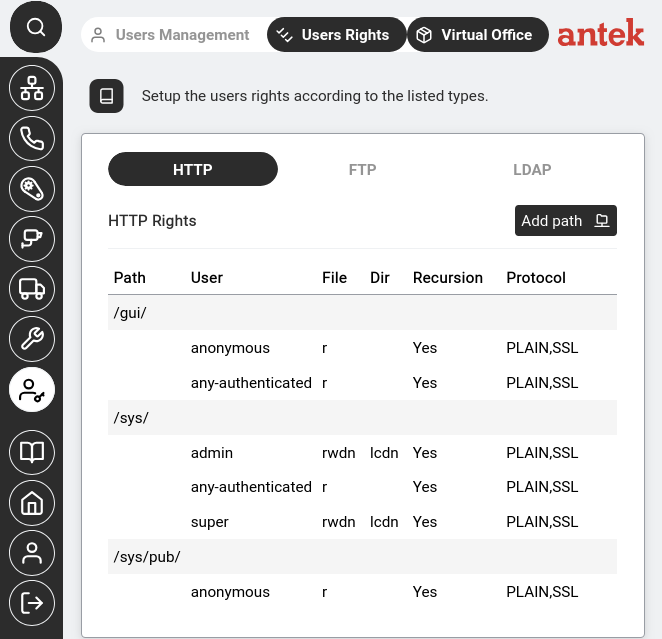
/gui/ is readable by everyone, /sys/ gives full access to admin and super and /sys/pub/ is read-only for anonymous users.Each row defines a URL path within the web interface. The columns show:
| Column | Meaning |
|---|---|
| Path | The URL path being controlled (e.g. /gui/, /sys/) |
| User | The user or user class this rule applies to (admin, super, anonymous, any-authenticated) |
| File | File-level permissions (r=read, w=write, d=delete, n=rename) |
| Dir | Directory-level permissions (l=list, c=create, d=delete, n=rename) |
| Recursion | Whether the rule applies to subdirectories too (Yes/No) |
| Protocol | Which protocols the rule applies to (PLAIN, SSL or both) |
Controls which directories each user can see and modify when connecting via FTP. The same column structure as HTTP Rights applies — Path, User, File permissions, Dir permissions, Recursion and Protocol.
The permission codes are split between two columns — File rights govern actions on individual files, Dir rights govern actions on directory entries (per v9.0 ch46.2):
| File code | Meaning |
|---|---|
| r | Read — download files |
| w | Write — upload and overwrite files |
| d | Delete — remove files |
| n | Rename — rename files |
| Dir code | Meaning |
|---|---|
| l | List — see directory contents |
| c | Create — make new subdirectories |
| d | Delete — remove subdirectories |
| n | Rename — rename subdirectories |
In the screenshot above, you can see for example that /pkg/ is only accessible by super with full permissions, while /pub/ gives anonymous read-only access but admin and super get full control.
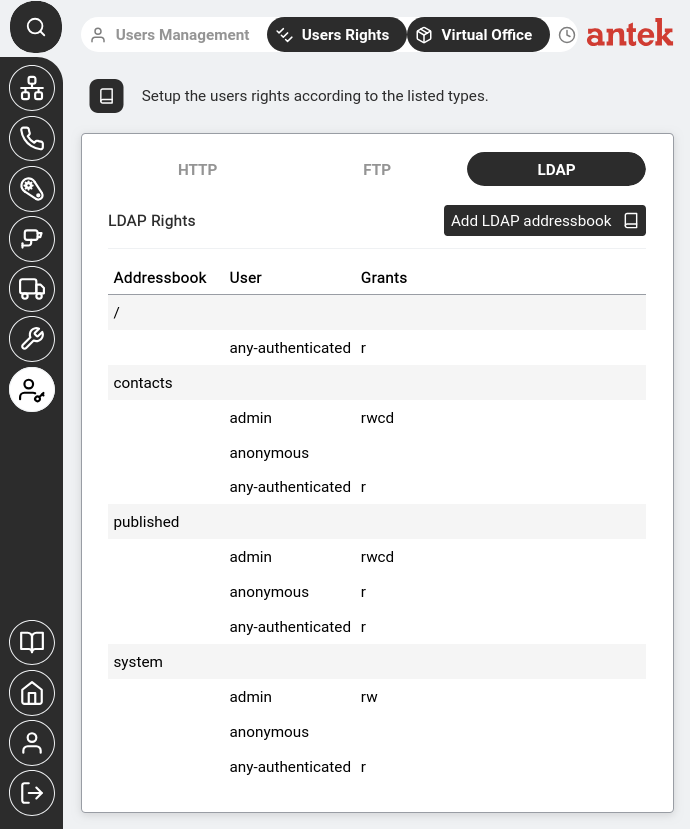
LDAP rights control access to the Abilis address book directory — used by SIP phones to look up contacts and by external systems that query the LDAP service.
Unlike HTTP and FTP rights which use path-based permissions, LDAP rights are organised by address book (contacts, published, system) with simpler grant codes:
| Grant | Meaning |
|---|---|
| r | Read — look up entries |
| w | Write — modify existing entries |
| c | Create — add new entries |
| d | Delete — remove entries |
Clicking on a user row opens the per-user permission editor:
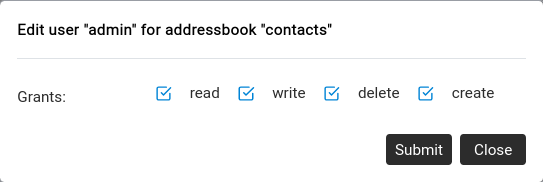
/recordings/ for FTP or /sys/admin/ for HTTP.