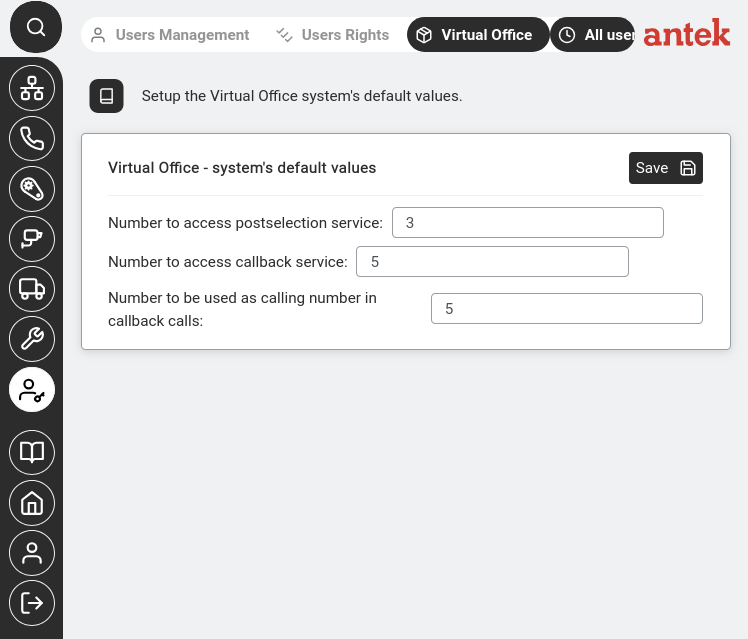
"Setup the Virtual Office system's default values."
Navigate to Administration → Virtual Office. This page configures system-wide defaults that apply to all Abilisphone users.
| Field (GUI) | CLI parameter | What It Configures | Default |
|---|---|---|---|
| Number to access postselection service | PS-NUM | The number a user dials from their mobile to access the Abilis phone menu after connecting (e.g. to dial another extension or access voicemail). | # |
| Number to access callback service | CB-NUM | The number a user dials to trigger a callback — the Abilis calls them back, so the office number appears as the caller ID instead of the user's personal mobile. | # |
| Number to be used as calling number in callback calls | CB-CGO-NUM | Which office number is displayed as the caller ID when the Abilis calls the user back. | # |
A # value means the parameter is inactive — per v9.0 ch66.1: "When '#', the parameter isn't used." Click Save after changes.
Individual users' Virtual Office settings (their personal mobile number, callback preferences, etc.) are configured in Administration > Users Management > [user] > Privileges > Phone > Settings > Abilisphone.