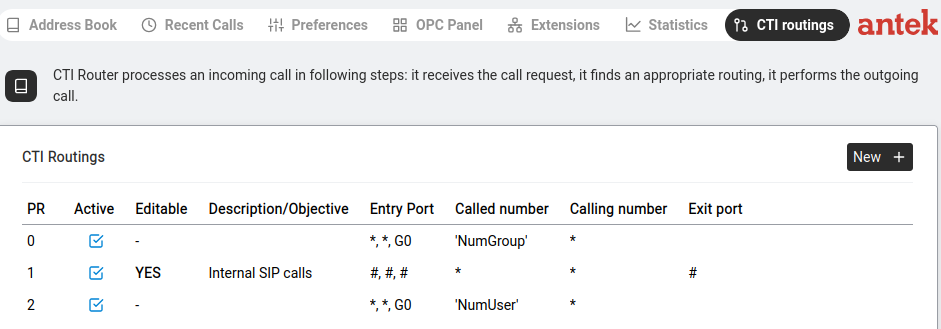
The CTI Router decides where each call goes. Every incoming call is checked against the routing table — when a rule matches, the call is sent to that rule's exit port. The first matching rule wins.
0, then 1, then 2…)
and uses the first routing that matches the call. The rest are ignored. So a more specific routing
must have a smaller PR than a broader one or it will never be reached.The main view shows a table of all routing rules. Columns:
| Column | What It Means |
|---|---|
| PR | Priority — a dropdown number. The Abilis checks rules in order from lowest PR to highest. The first matching rule wins. |
| Active | Checkbox — is this rule currently in use? |
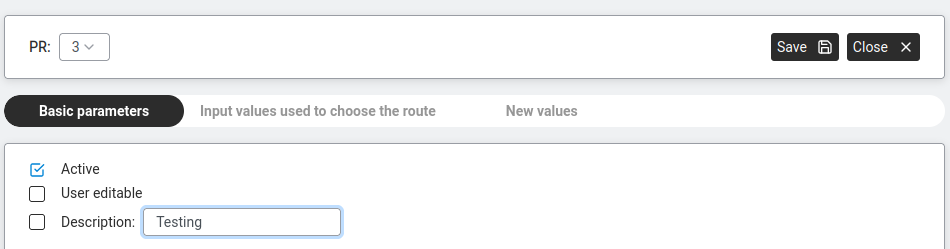
| Editable | Checkbox — same as the User editable field shown in the rule editor below. When unticked, only administrators can modify this rule. |
| Description / Objective | A human-readable note explaining what this rule does. |
| Entry port | Where the call enters the Abilis (e.g. a SIP trunk, a CTIP port). |
| Called number | The number pattern to match — what was dialled. Can reference a list in single quotes (e.g. 'numsip') — same syntax as ACL rules. |
| Calling number | Who is calling — used to filter based on the caller's identity. |
| Exit port | Where to send the matching call. |
Click New + to add a routing. Click an existing row to expand and edit it.
When you create or edit a routing, you see:
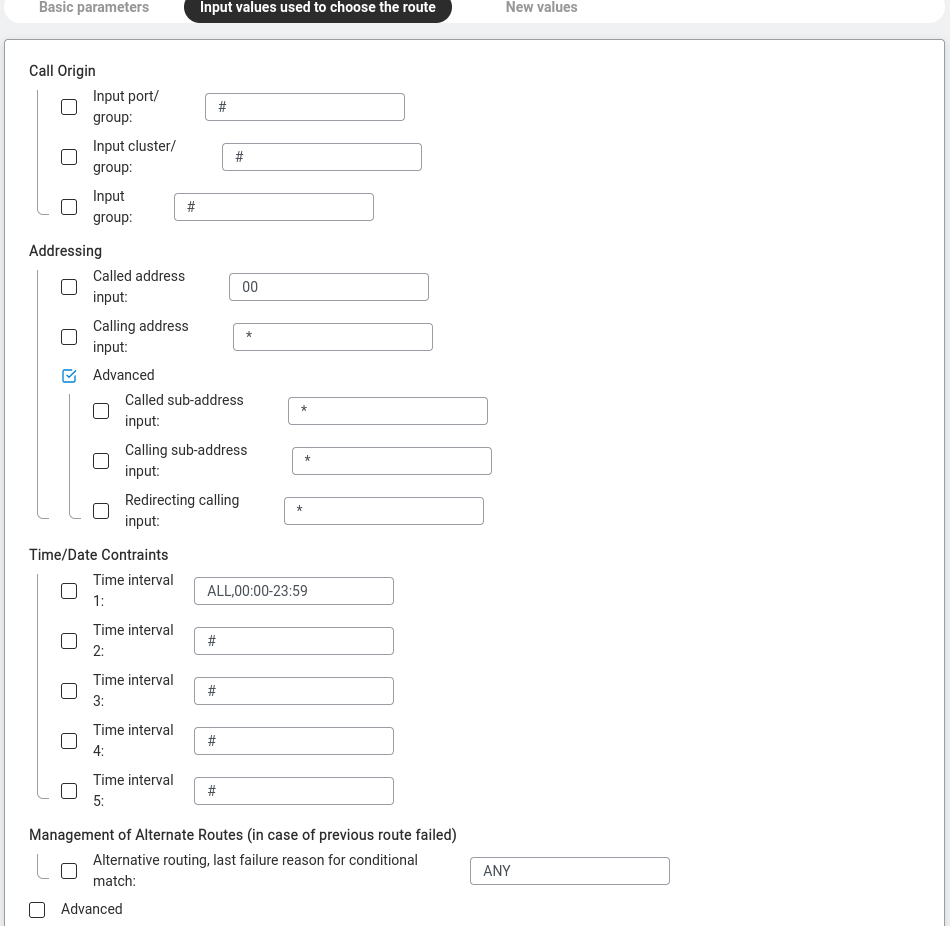
Conditions that a call must match for this rule to apply:
00 for international prefix)
* for any caller)
<day-spec>,HH:MM-HH:MM. The day-spec can be a single day (MO), a range (MO-FR), a set (MO+WE), ALL for every day or a specific date (24/12/26).
ALL,00:00-23:59 (24/7), MON-FRI,08:00-18:00 (business hours), SAT+SUN,10:00-16:00 (weekends only).BUSY — the previous attempt got a busy signal.
NOANS — no answer within the timeout.
OTHER — any other failure reason.
ANY — catch all of the above.
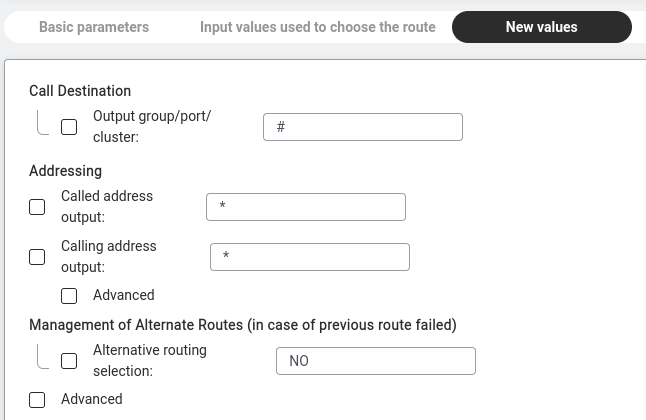
What the routing rule actually does to a matching call:
Visible when the Advanced checkbox is ticked:
VOICE (Speech + 3.1 kHz, the normal voice cases), DATA (UDI + RDI, modem/data calls), TR (any).
Speech, 3.1kHz, UDI, RDI, UDI-TA, Video.5300, 6300, 6400, 8000, 13200, 16000, 32000, 64000 (and several more).
6400 is a typical low-bandwidth value; 64000 is uncompressed-equivalent (G.711).Sys (the default) means "use the coders configured on the CTISYS resource"; otherwise pick from: G.711, G.711A, G.711u, G.726, G.727, G.729A, GSM6.10, G.723.1, ILBC, SPEEX, Spirit, Transp. Click Edit Coders for the per-codec configuration dialog.Two examples (adapted from the v9.0 reference manual) to show what a complete rule looks like in practice.
"When a call comes in on a SIP trunk and the dialled number starts with 5
followed by two more digits, route it to the internal PBX group, using the G.711
codec."
| Field | Value |
|---|---|
| PR | 21 |
| Bearer capability | VOICE |
| Entry port | Sip |
| Called number pattern | 5?? (? matches one digit) |
| Exit port | PBX |
| Allowed coders | G.711 |
"When a call comes from the local PBX and the dialled number is in the 'ToAbilis2'
list, send it to the Abilis2 cluster member."
| Field | Value |
|---|---|
| PR | 2 |
| Bearer capability | VOICE |
| Entry port | PBX |
| Called number pattern | 'ToAbilis2' (matches any number in the list) |
| Exit port | Abilis2 (cluster member) |